Why Office Space Design Matters for Workplace Productivity
Workplace design shapes how easily people concentrate, collaborate, and recover during the day.
A well-designed office helps in four ways:
• Focus: fewer interruptions and better conditions for deep work.
• Collaboration: the right spaces for quick huddles and larger sessions.
• Wellbeing: better light, air, and comfort over long days.
• Retention: a workplace people choose to come to.
A poorly designed office does the opposite. Noisy open floors, glare, and too few meeting rooms quietly cost hours every week.
The effect compounds in a hybrid model. People now choose which days to come in, so the office competes with the home desk. If it is no better for the work they came to do, attendance drops and the space sits half empty.
Design also carries culture. The layout tells people how the company expects them to work: together, independently, or both. Make that a deliberate choice, not an accident of the floor plan.
Key Principles of Productive Office Space Design
Designing offices well comes down to a handful of principles. Apply them in this order: zones, furniture, light, sound, and nature.
Create Zones for Focus, Collaboration, and Breaks
People do different kinds of work in one day. A single open floor rarely supports all of it.
• Focus zones for quiet, heads-down work
• Collaboration zones for team discussion and whiteboarding
• Break zones for rest and informal conversation
Place noisy zones away from quiet ones. Use furniture, plants, or partitions to mark the edges.
A quick test helps. Map a normal day for three roles, such as an engineer, a manager, and a salesperson. Note where each one focuses, meets, and rests. The zones you need will show up quickly.
Choose Ergonomic, Adjustable Furniture
• Adjustable chairs and desks, including sit-stand options
• Monitor arms and correct screen heights
• Furniture that can be reconfigured without a contractor
Comfort affects output. People who ache at 3 pm are not doing their best work.
Hot-desking raises the stakes. When several people share one desk in a week, adjustment has to be quick and obvious, or nobody bothers. Pick controls that anyone can use without instructions.
Maximise Natural Light and Task Lighting
• Put shared and collaborative areas near windows, so more people get daylight.
• Use task lighting at desks to reduce eye strain.
• Control glare with blinds or glazing treatments.
Layer the light. Ambient, task, and accent lighting each do a different job.
Also think about the time of day. A west-facing floor that is pleasant in the morning may glare by late afternoon, so test the light across the day before fixing desk positions.
Control Acoustics and Noise
Noise is the most common complaint in open offices. Solve it with design, not with rules.
• Acoustic panels, soft flooring, and ceiling baffles
• Phone booths and small focus rooms
• Meeting rooms with proper sound insulation
Incorporate Biophilic Design Elements
Biophilic design brings natural elements indoors. It tends to make a workplace feel calmer and more welcoming.
• Indoor plants and green walls
• Natural materials such as wood and stone
• Views of the outdoors where possible
For more, see workspace design trends from biophilic elements to modular layouts.
Office Space Design Ideas That Boost Productivity
Open-Plan vs Private Office Layouts
Office layout design is a trade-off between interaction and privacy.
|
Layout |
Strengths |
Watch-outs |
|
Open plan |
Easy interaction, efficient use of space, flexible |
Noise and distraction without zoning |
|
Private offices |
Privacy for confidential or deep work |
Uses more space, less spontaneous contact |
|
Hybrid mix |
A balance of both, matched to roles |
Needs careful planning and clear rules |
Most modern offices blend the two. Open areas for teams, and cabins or focus rooms for privacy.
Whatever the mix, build in the option to change it. Demountable partitions and movable storage let you convert open space into rooms, or the reverse, as the team evolves.
Collaborative Workspaces and Meeting Areas
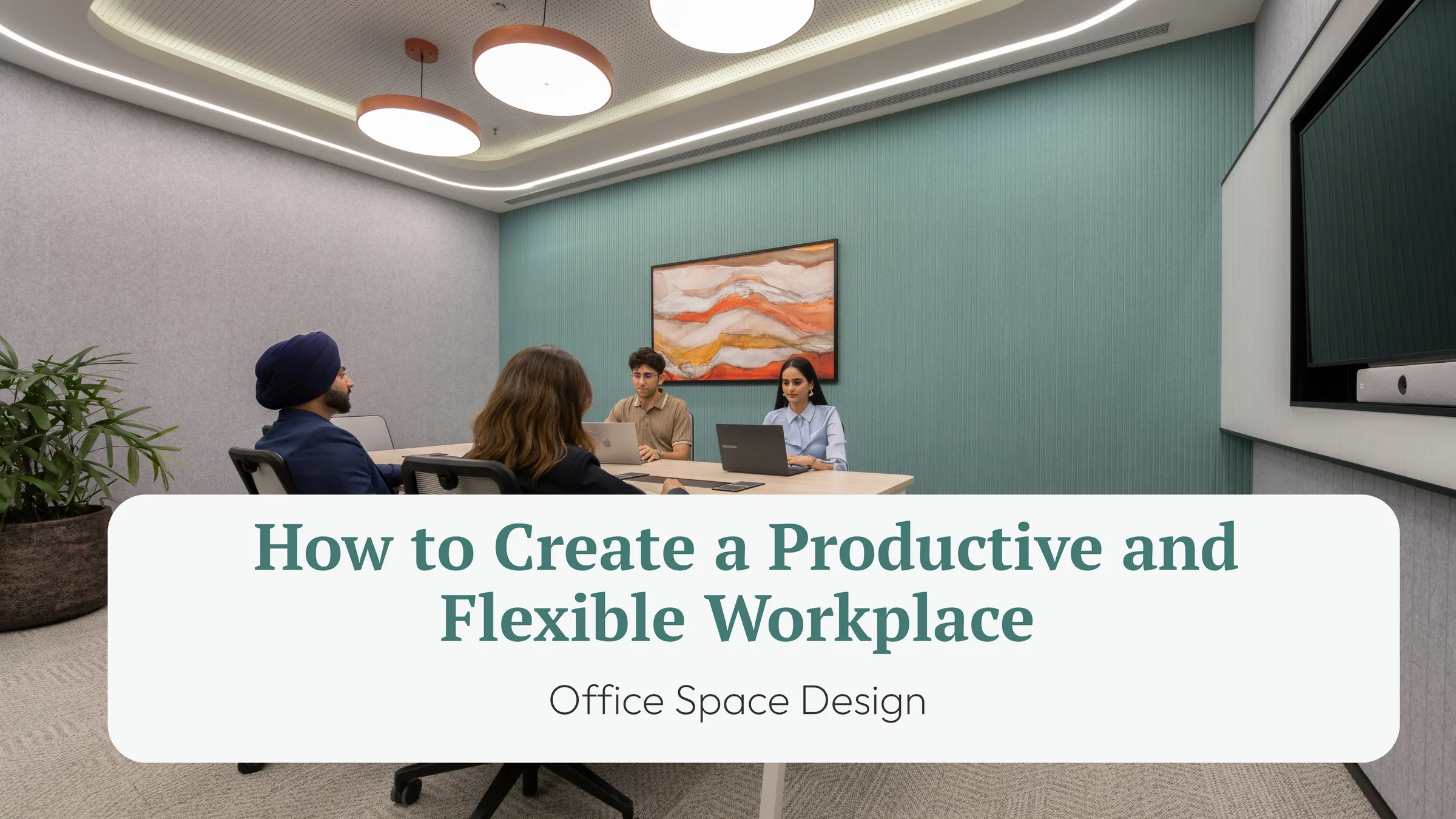
• A mix of meeting room sizes, from two-person huddles to larger rooms
• Movable furniture and writable walls
• Video-conferencing in most rooms, since hybrid teams meet remotely
Most offices have too few small rooms. Plan for more huddle spaces than you think you need. For a deeper guide to coworking office design, see designing a collaborative office space.
Quiet Zones and Focus Rooms
• Library-style quiet areas with no calls
• Single-person focus rooms or booths
• Clear etiquette, so the quiet stays quiet
Productive office design protects deep work. A quiet room does more than an extra desk.
Place these rooms away from kitchens, lifts, and main walkways. Even a well-insulated room fails if it opens onto the busiest part of the floor.
Finally, set simple rules and signpost them. A light outside the room, or a clear sign at the entrance of a quiet zone, does more than a policy document nobody reads.
Integrating Technology Into Office Space Design
Technology should be planned into the design, not added after the interiors are done.
• Power and data: outlets and network points where people actually sit
• Meeting tech: cameras, screens, and room booking that work first time
• Space data: sensors or booking tools that show how rooms and desks are used
• Wireless: strong coverage across zones, not just near the router
Good workspace design makes the technology invisible. The tools just work.
Plan for change as well. Network points, power, and ceiling services laid out on a flexible grid let you move teams without opening up the floor. That is cheaper than rewiring every time a team grows.
Space data helps here too. Booking tools and sensors show which rooms are used and which sit empty, so the next design change rests on evidence rather than opinion.
Common Office Space Design Mistakes to Avoid
• Designing for full headcount. Hybrid attendance rarely hits 100%.
• Copying a template. What worked for another company may not suit your work.
• Ignoring acoustics. It is costly to fix after the build.
• Too few meeting rooms. Teams end up meeting at desks.
• Fixed layouts. The office cannot adapt as the team changes.
• Skipping staff input. The people using the space know what they need.
Review the design against how people work, not only how it looks in renders. For current ideas, see commercial office interior trends.
A simple way to avoid most of these mistakes is to test the plan before building. Walk the layout with a few team members and ask where they would sit, meet, and take a call. Their answers expose gaps that drawings hide.
Office Space Design With Table Space
Table Space designs and builds enterprise offices around the client’s brief and runs them end to end. The design is shaped by how the team works, not by a house template.
• Its portfolio grew from 6.32 million sq ft in 2024 to 11.46 million sq ft as of March 2026, across nine cities.
•
• Its offering includes custom-built offices and independent design-and-build mandates.
Planning a new floor? Explore Table Space’s office design services, or talk to the team.